
Plan workouts, log lifts, and track real strength progress.
Build workouts, reuse templates, compare your lifts against strength standards, and review your progress in one place. Community and the Companion Watch App extend that system with shared momentum and automatic rep counting from motion data.


Inside the App
A closer look at the iPhone experience
Today and Next
The current app, with a bigger training system behind it
Train with a plan, not a blank screen
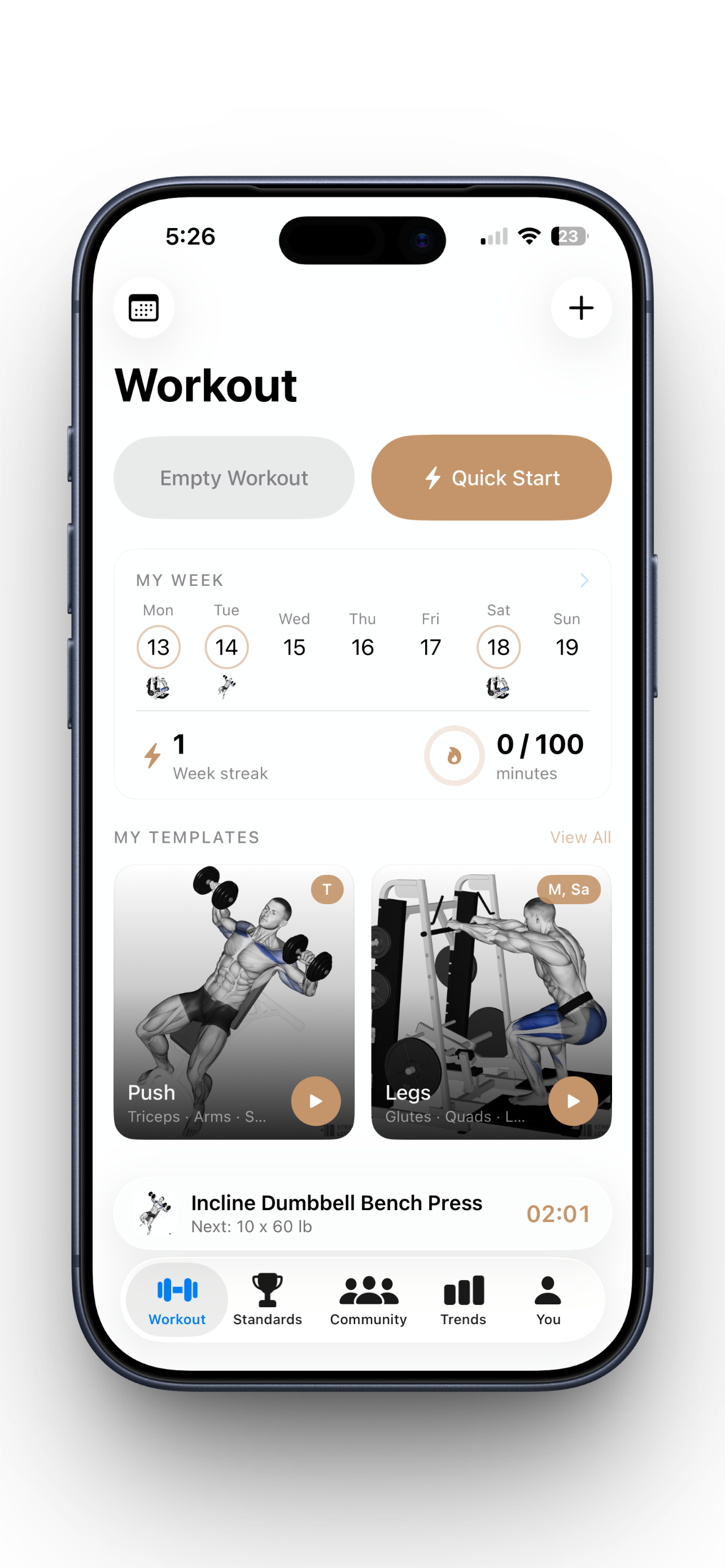
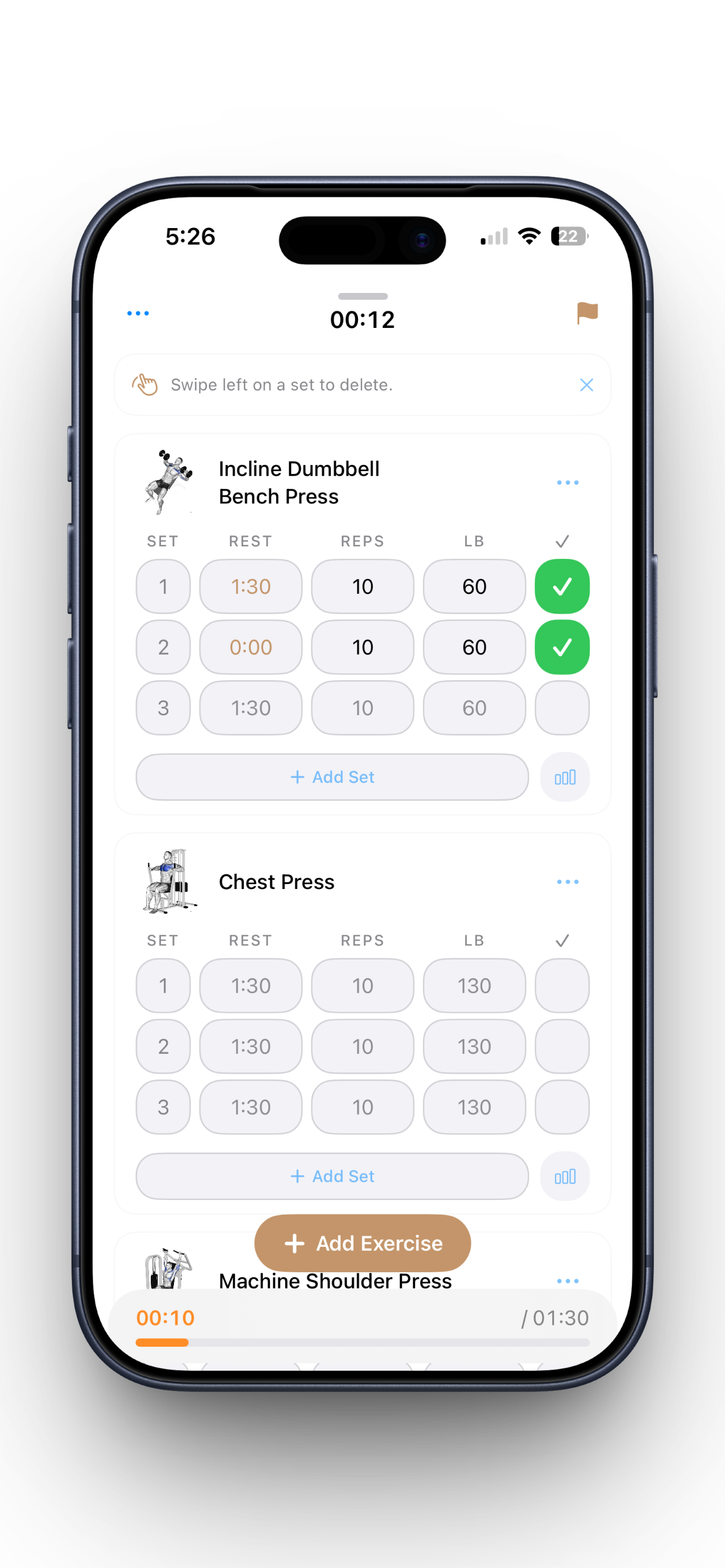
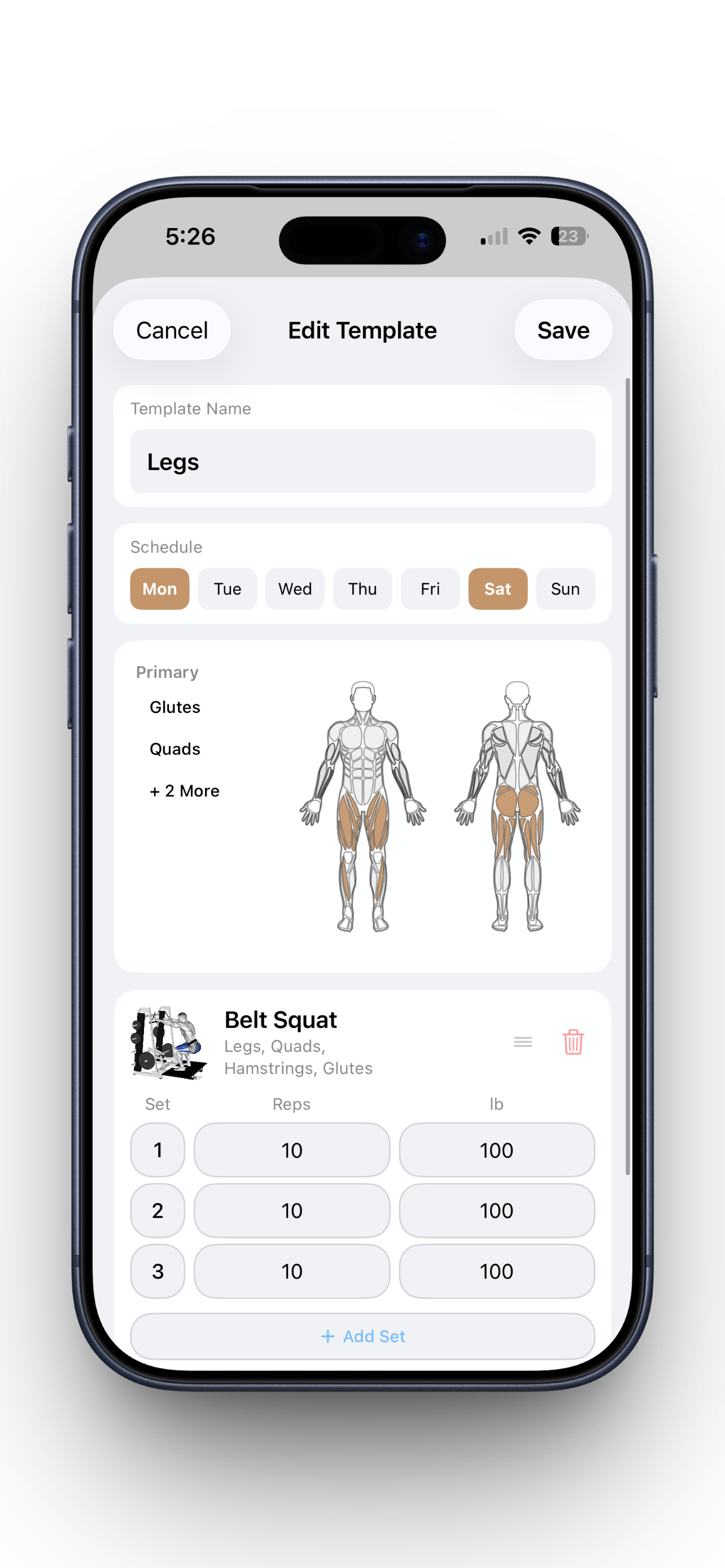
Optimal makes it easy to start empty, launch from a template, or repeat your best sessions so the app supports the workout instead of slowing it down.
See what your lifts actually mean
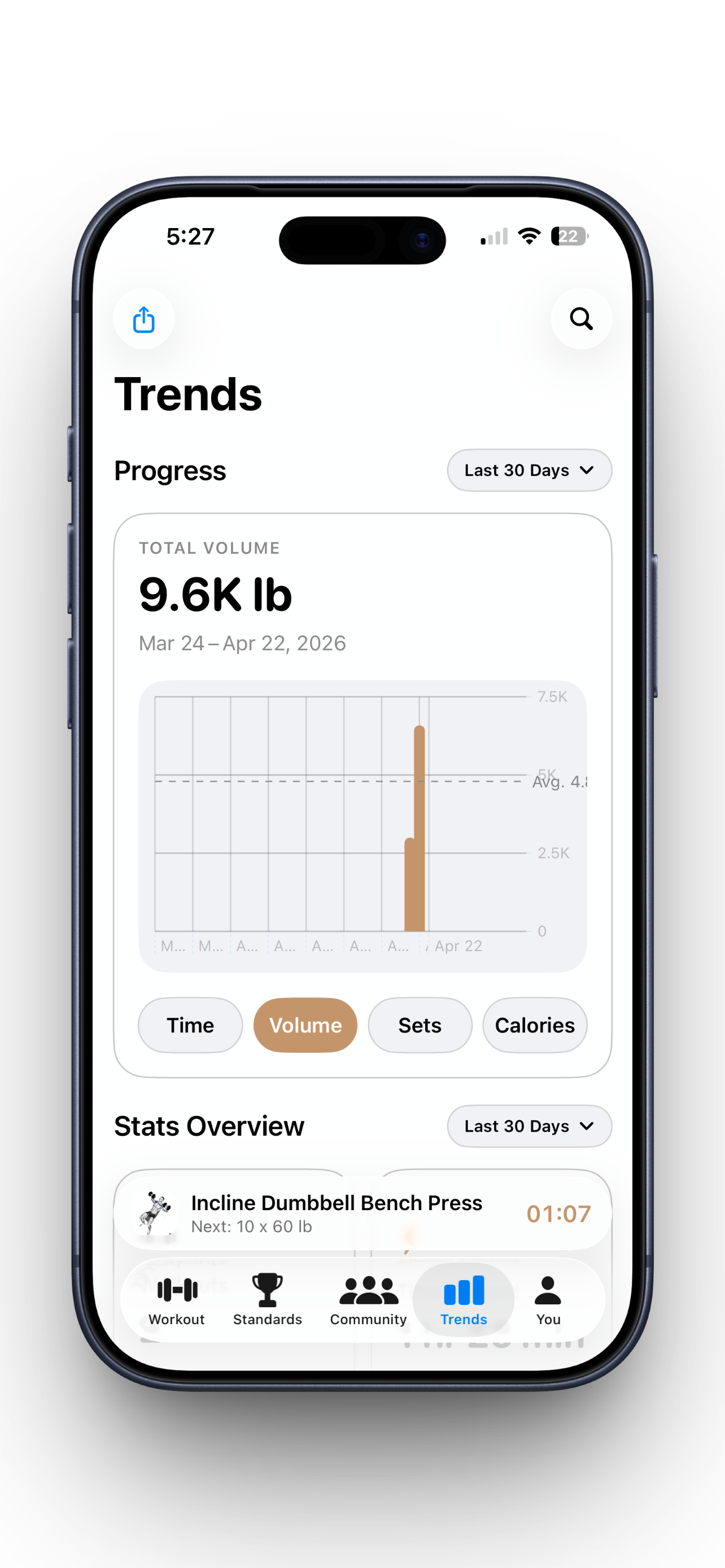
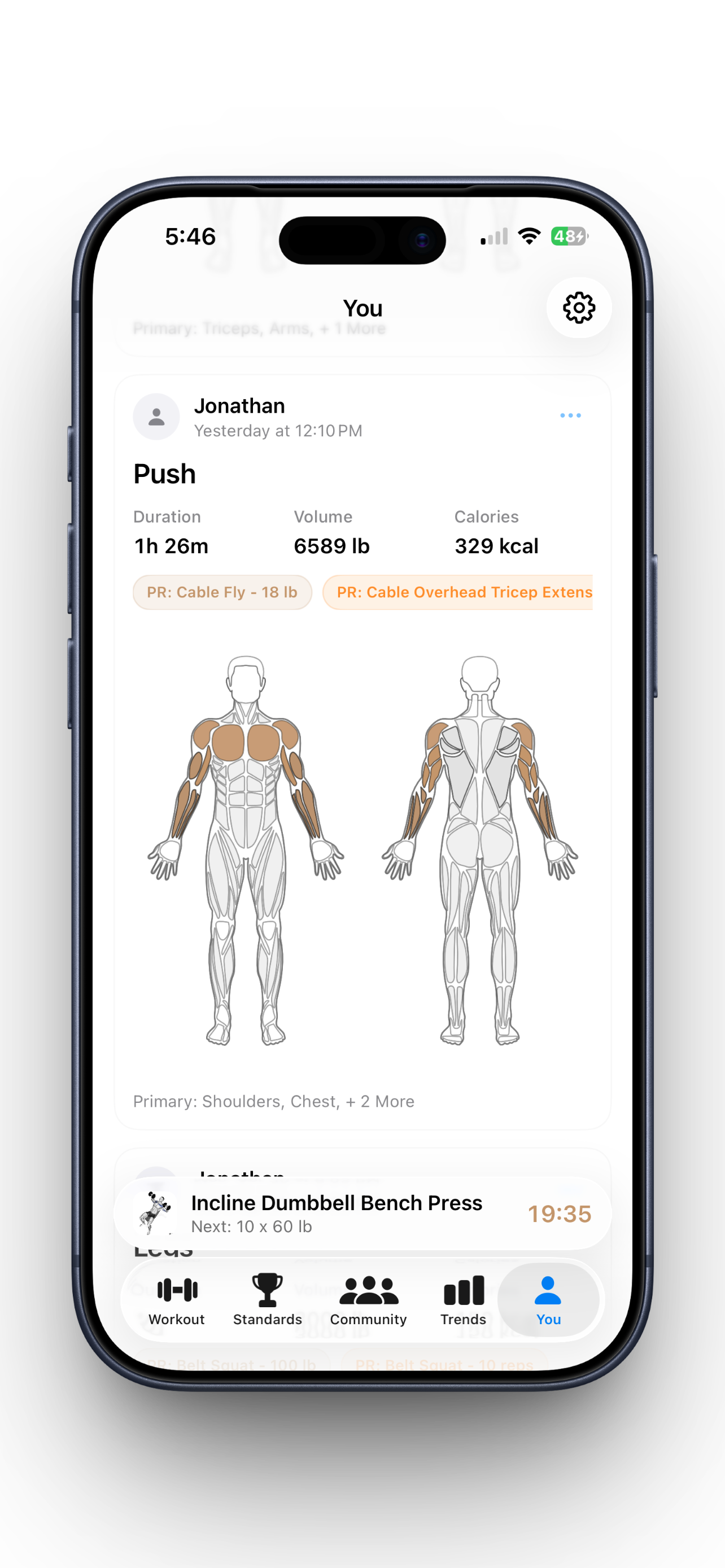
Strength standards, PR callouts, workout history, and long-term trends give your training context beyond a list of completed sets.
Built for where training apps are going
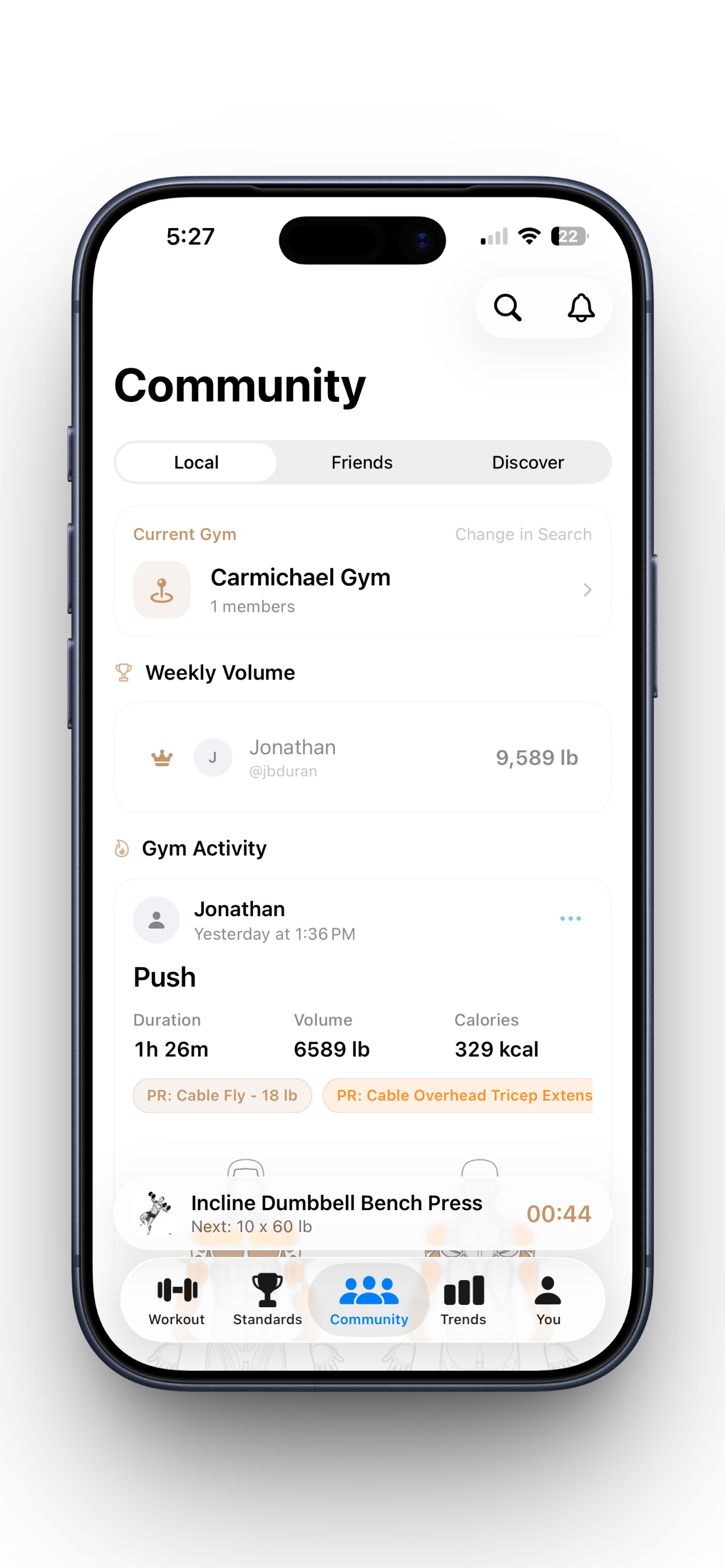
Community adds shared progress, local gym discovery, and friend feeds. The Companion Watch App adds automatic rep counting from motion data.
What It Covers
The full training picture, not just a timer
One place for the full workout
Plan sessions, start quickly, log sets, track rest, and keep your workout history organized without bouncing between notes, timers, and spreadsheets.
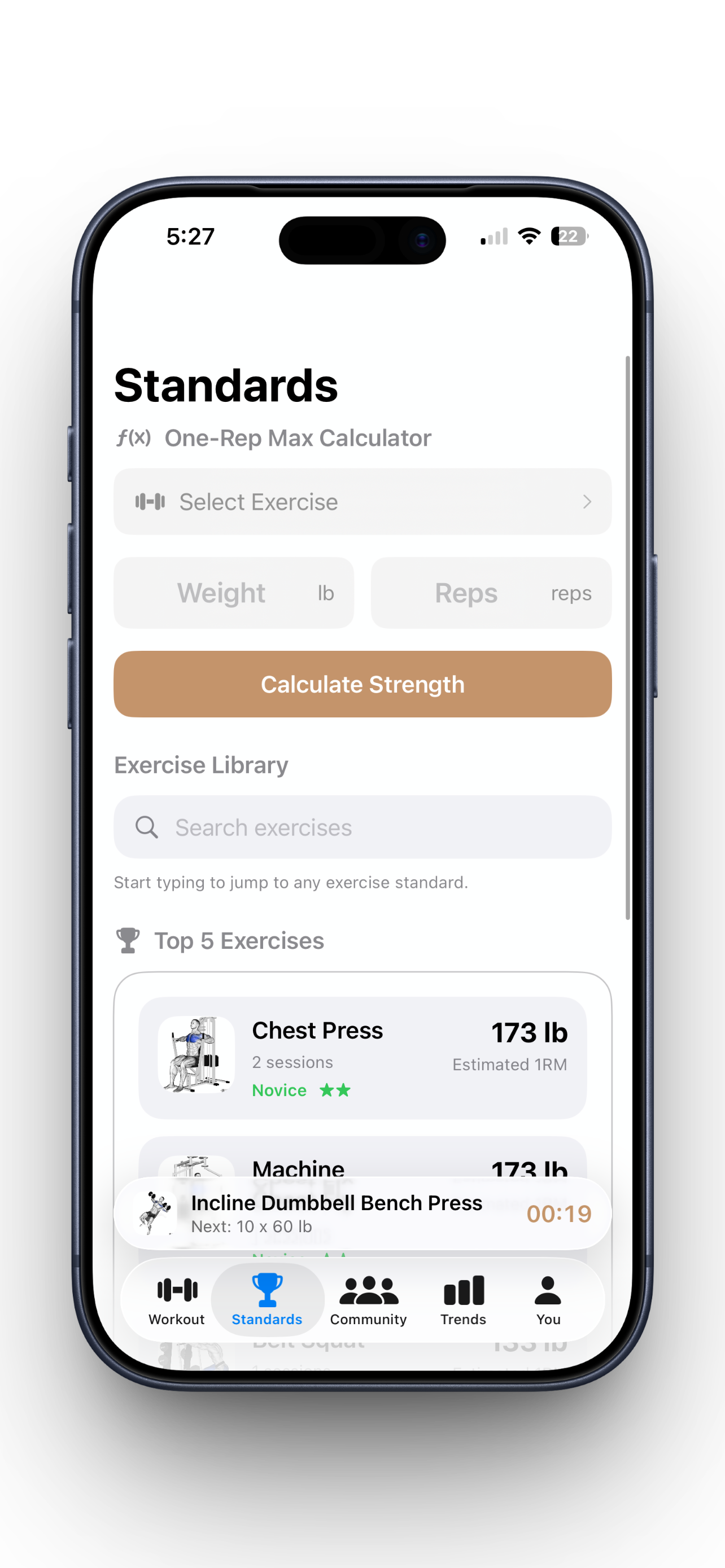
Standards that make numbers useful
Use one-rep max estimates and strength standards to understand how your lifts compare and where your next improvement should come from.
Progress you can actually review
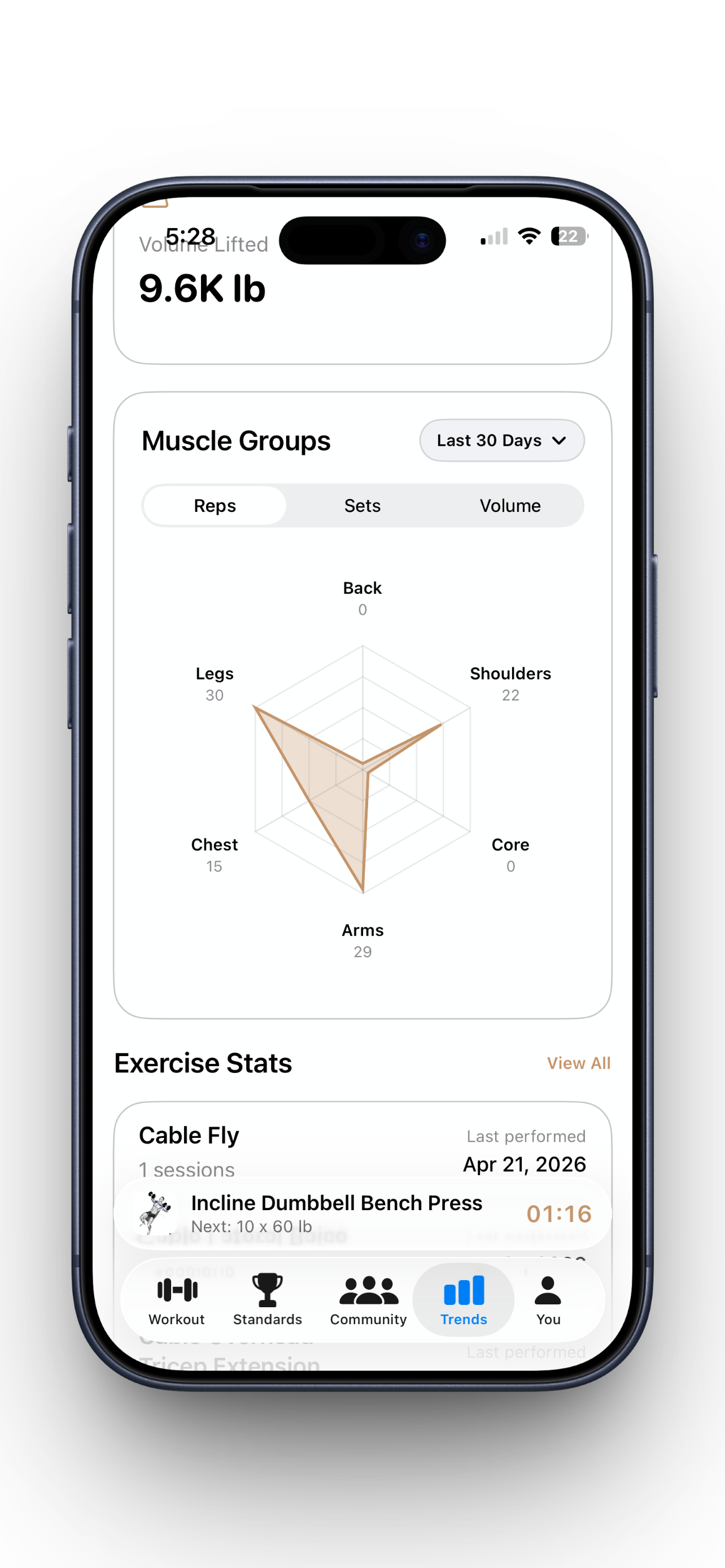
Spot PRs, monitor trends, and review muscle, volume, calorie, and rep data in a format that feels useful after the workout is over.
A roadmap that extends the core app
Community and the Companion Watch App are designed to build on top of your existing training history, not replace the solo tracking experience that already works.
Why Lifters Stick With It
What training with Optimal feels like
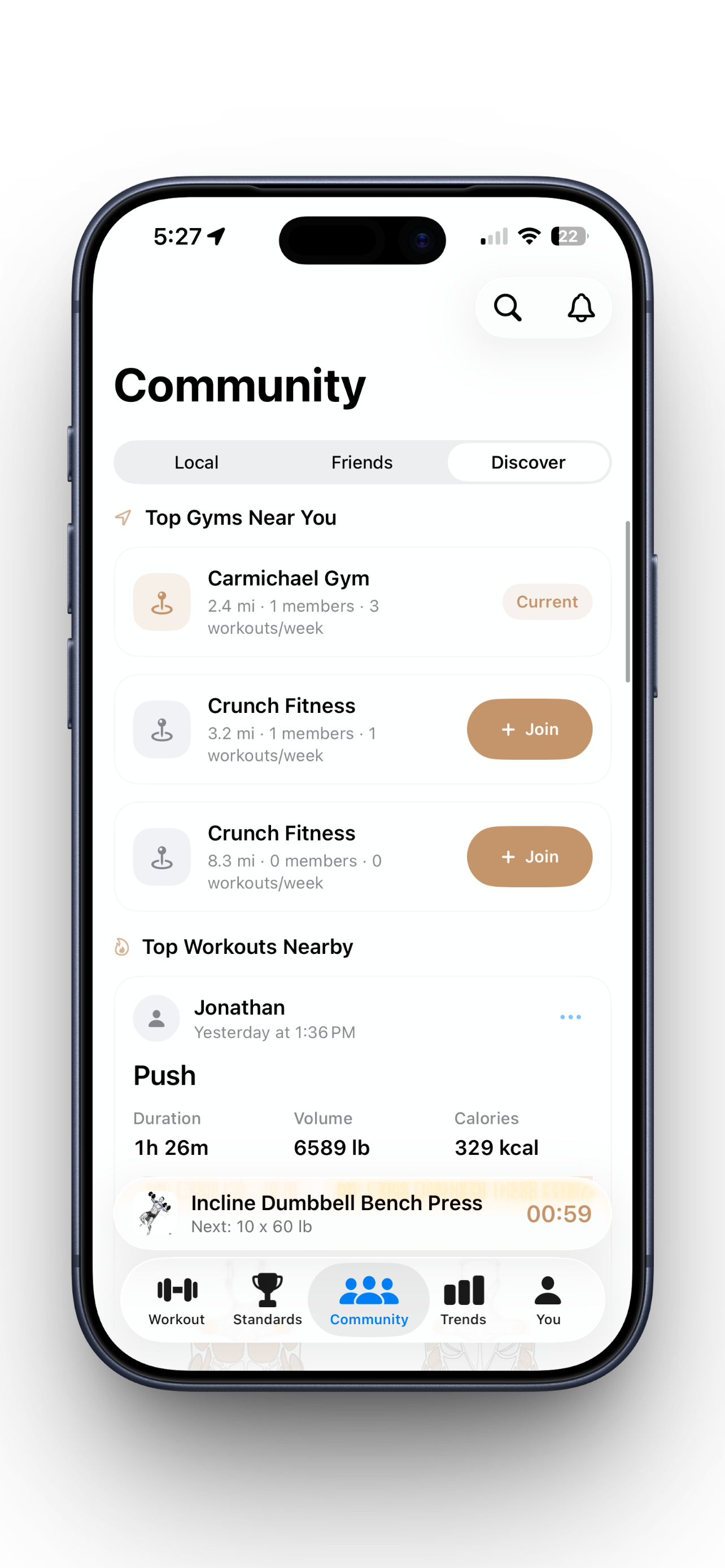
Discover nearby gyms and see how Community can turn your training history into local momentum.
Stay motivated with a local gym feed and weekly leaderboard that make consistency visible.
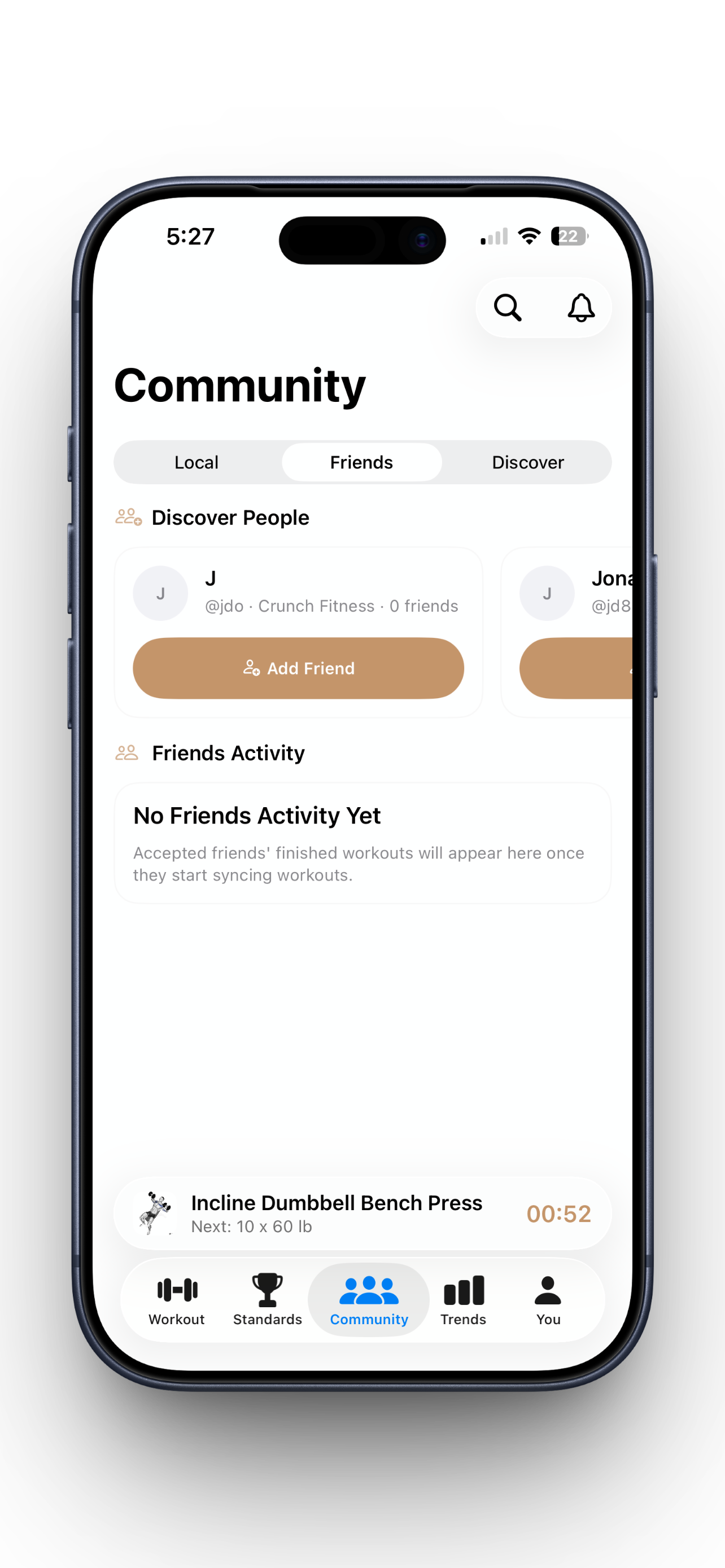
Follow friends, find people to add, and keep the social layer focused on training instead of noise.
Review full-body muscle impact after each workout so progress feels visual, not abstract.
Core Features
What the app does now, and where it is headed
Workout logging that keeps up
Start fast, log sets without losing momentum, and keep every workout in one system that is built for consistent lifting.
See more >Templates and weekly structure
Build reusable templates, map them onto your week, and stop starting each session from a blank screen.
See more >Strength standards with context
See how your lifts stack up, estimate your strength level, and turn raw numbers into training decisions.
See more >Trends, PRs, and health sync
Review volume, reps, calories, muscle balance, and Apple Health data without stitching together multiple apps.
See more >Community is on the way
Follow friends, join a local gym hub, react to workout cards, and stay connected to the people who keep you showing up.
See more >Companion Watch App
Use motion data from your watch to automatically count reps so your phone can stay out of the way while you train.
See more >Built For
Different lifters, one training system

The beginner
Learning consistency
Built for the lifter who wants structure without turning every workout into an admin task.

The planner
Template-driven training
Built for the person who trains best when a weekly split, saved templates, and repeatable sessions are already mapped out.

The numbers-first athlete
Progress focused
Built for the lifter who wants more than a checkbox log and actually cares about standards, PR context, and long-term progress.

The consistency chaser
Training around real life
Built for the busy person trying to stay consistent between work, school, and life without letting training data disappear into notes.

The ecosystem user
Health-connected training
Built for the Apple Health user who wants strength training to sit inside a broader picture of recovery, effort, and personal metrics.

The community-motivated lifter
Social accountability
Built for the gym regular who wants Community to feel like motivation, not noise: friends, local momentum, and visible work.

The minimal-input trainer
Watch-assisted sessions
Built for the person who wants less manual input and is ready for the Companion Watch App to take rep counting off their plate.

The long-game builder
Growing with the product
Built for the lifter who wants one app that can start as a solo workout log and grow into a fuller training system over time.
Pricing
Start free. Add watch tracking when you want it.
Core App
Everything you need to plan, log, and review training.
Watch Tracking
For lifters who want unlimited motion-based rep counting during training.
FAQ
Frequently Asked Questions

@firstcycle
Needs a workout log that feels approachable, not overwhelming.

@splitbuilder
Wants templates, weekly structure, and faster starts every session.

@repandvolume
Cares about trends, PRs, and numbers that actually mean something.
@firstcycle
Needs a workout log that feels approachable, not overwhelming.
@splitbuilder
Wants templates, weekly structure, and faster starts every session.
@repandvolume
Cares about trends, PRs, and numbers that actually mean something.
@firstcycle
Needs a workout log that feels approachable, not overwhelming.
@splitbuilder
Wants templates, weekly structure, and faster starts every session.
@repandvolume
Cares about trends, PRs, and numbers that actually mean something.

@trainbetweenmeetings
Needs the app to keep up without adding more friction to the day.

@gymhubsoon
Wants friends, gym momentum, and shared workout energy built in.

@countitforme
Is ready for the Companion Watch App to handle rep counting.
@trainbetweenmeetings
Needs the app to keep up without adding more friction to the day.
@gymhubsoon
Wants friends, gym momentum, and shared workout energy built in.
@countitforme
Is ready for the Companion Watch App to handle rep counting.
@trainbetweenmeetings
Needs the app to keep up without adding more friction to the day.
@gymhubsoon
Wants friends, gym momentum, and shared workout energy built in.
@countitforme
Is ready for the Companion Watch App to handle rep counting.
@firstcycle
Needs a workout log that feels approachable, not overwhelming.
@splitbuilder
Wants templates, weekly structure, and faster starts every session.
@repandvolume
Cares about trends, PRs, and numbers that actually mean something.
@firstcycle
Needs a workout log that feels approachable, not overwhelming.
@splitbuilder
Wants templates, weekly structure, and faster starts every session.
@repandvolume
Cares about trends, PRs, and numbers that actually mean something.
@firstcycle
Needs a workout log that feels approachable, not overwhelming.
@splitbuilder
Wants templates, weekly structure, and faster starts every session.
@repandvolume
Cares about trends, PRs, and numbers that actually mean something.
@trainbetweenmeetings
Needs the app to keep up without adding more friction to the day.
@gymhubsoon
Wants friends, gym momentum, and shared workout energy built in.
@countitforme
Is ready for the Companion Watch App to handle rep counting.
@trainbetweenmeetings
Needs the app to keep up without adding more friction to the day.
@gymhubsoon
Wants friends, gym momentum, and shared workout energy built in.
@countitforme
Is ready for the Companion Watch App to handle rep counting.
@trainbetweenmeetings
Needs the app to keep up without adding more friction to the day.
@gymhubsoon
Wants friends, gym momentum, and shared workout energy built in.
@countitforme
Is ready for the Companion Watch App to handle rep counting.
@firstcycle
Needs a workout log that feels approachable, not overwhelming.
@splitbuilder
Wants templates, weekly structure, and faster starts every session.
@repandvolume
Cares about trends, PRs, and numbers that actually mean something.
@firstcycle
Needs a workout log that feels approachable, not overwhelming.
@splitbuilder
Wants templates, weekly structure, and faster starts every session.
@repandvolume
Cares about trends, PRs, and numbers that actually mean something.
@firstcycle
Needs a workout log that feels approachable, not overwhelming.
@splitbuilder
Wants templates, weekly structure, and faster starts every session.
@repandvolume
Cares about trends, PRs, and numbers that actually mean something.
@trainbetweenmeetings
Needs the app to keep up without adding more friction to the day.
@gymhubsoon
Wants friends, gym momentum, and shared workout energy built in.
@countitforme
Is ready for the Companion Watch App to handle rep counting.
@trainbetweenmeetings
Needs the app to keep up without adding more friction to the day.
@gymhubsoon
Wants friends, gym momentum, and shared workout energy built in.
@countitforme
Is ready for the Companion Watch App to handle rep counting.
@trainbetweenmeetings
Needs the app to keep up without adding more friction to the day.
@gymhubsoon
Wants friends, gym momentum, and shared workout energy built in.
@countitforme
Is ready for the Companion Watch App to handle rep counting.
Train with less friction.
Download Optimal on iPhone, log your training with more structure, and join the waitlist for Community and the Companion Watch App while they roll out.
Download the App